[How to watch on SHOWROOM]


‖  Live Streaming Information 

When using SHOWROOM

Live Stream Date and Time
Starts at 8:00pm on December 29th, 2020 (Tue)

Stream Archive Availability Period
From Tuesday December 29th, 2020, after the stream ends, until Sunday January 3rd


During this period, we will stream at the following times on each day.
AM: From 12:00 a.m. - / 3:00 a.m. - / 6:00 a.m. - / 9:00 a.m. -
PM: From 12:00 p.m. - / 3:00 p.m. - / 6:00 p.m. - / 9:00 p.m. -

*Subject to change. Please note.
Please note that you will not be able to watch outside of the specified times during the archive period.
 If you are watching from outside of Japan, you can access SHOWROOM via your PC's browser or through the SHOWROOM app. A stable internet connection (Wi-Fi, etc.) will be needed. However, in some cases, it may not be possible to watch due to a particular country's network restrictions or security level.

In addition to what is outlined above, to purchase tickets you must be able use the SKIYAKI TICKET app without any issues in order to buy streaming tickets from SKIYAKI TICKET.


‖  Tickets and Streaming Info 

Ticket Sales: SKIYAKI TICKET
Live Stream: SHOWROOM 


Ticket Sales Period 
From December 10th (Thu) at 12:00pm until 7:00pm on January 3rd (Sat)


Fan Club Members Only: 1,000 yen (tax included) 
General Tickets: 2,000 Yen (with tax)


Click here for ticket orders


*Tickets orders using convenience store or PayPal payments can be made up until December 30th (Wed)
*Credit card payments for ticket orders are available until 7:00pm on January 3rd (Sun).
* Please see  here  for the Fan Club Member (400 yen per month *plus tax) registration process. 


 Streaming Room 
 

Click here for the paid stream viewing room 

https://www.showroom-live.com/mwam_202012

 Those who have purchased a ticket and received a serial code can proceed here. 


 Precautions and instructions for watching the paid stream


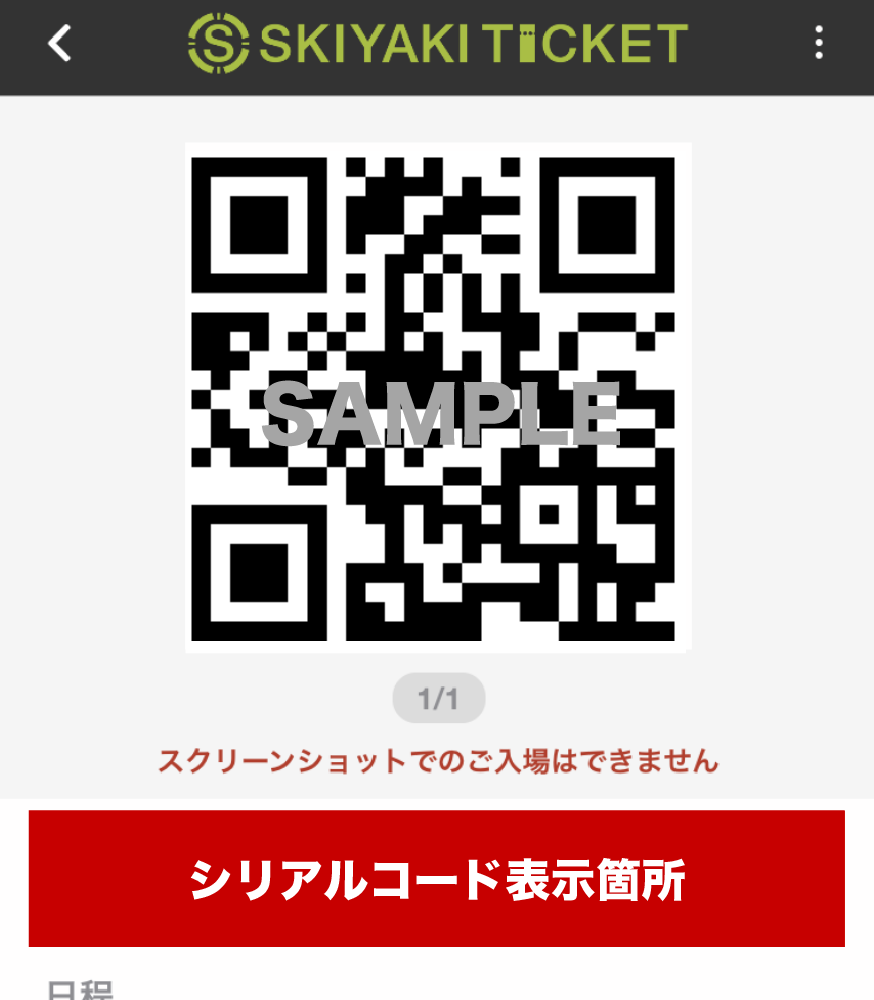
We will issue a serial code via the SKIYAKI TICKET app to customers who purchased a paid subscription ticket for SHOWROOM. Please check the "Reference Number"  column displayed near the QR on the app .


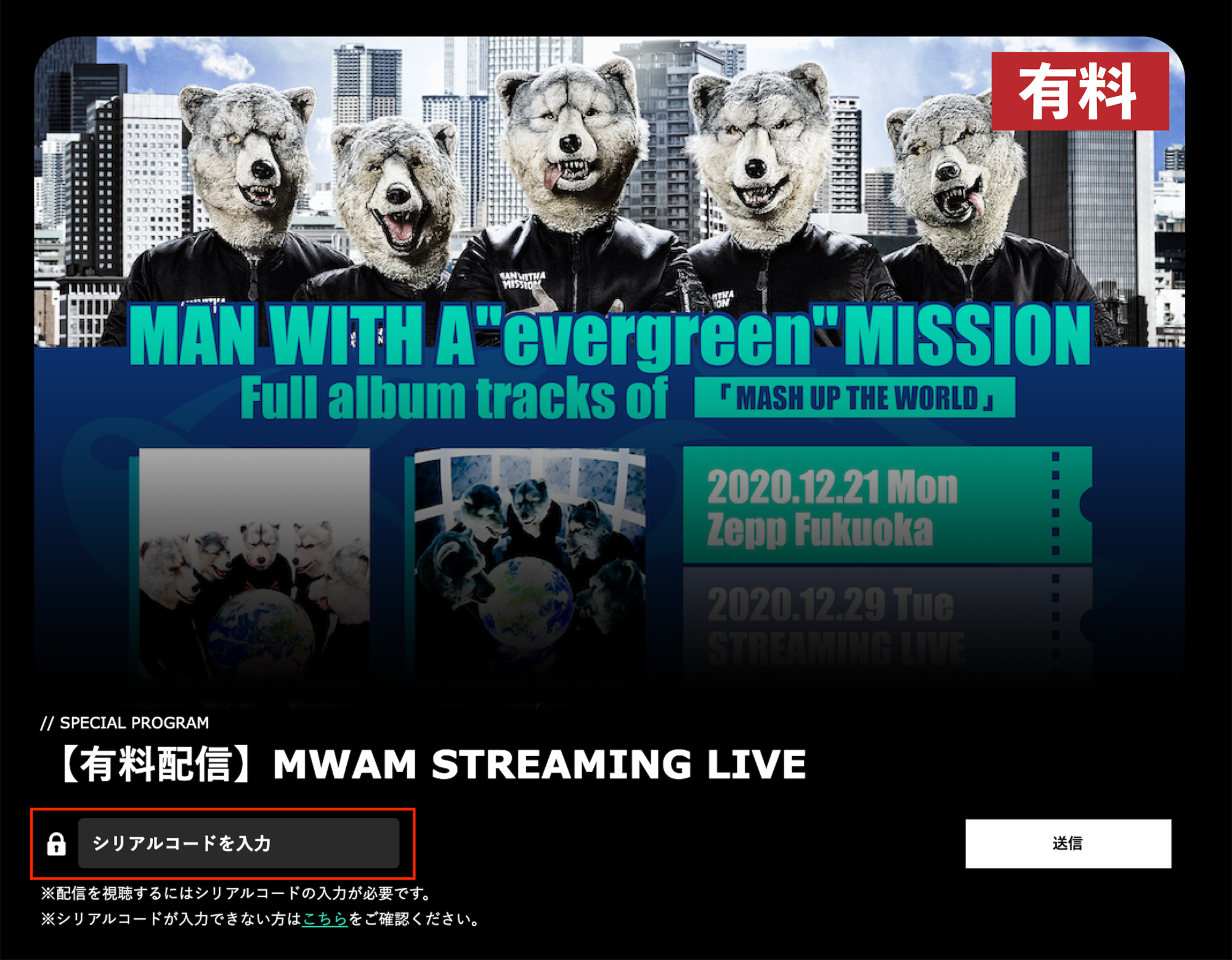
Enter the serial code on the SHOWROOM streaming page to watch the stream.

 Please be sure to exclude the "Number" when entering the serial code as it will result in an error and will not be authenticated. 


It may take up to 10 minutes for the serial code to be sent after purchasing your ticket, so please allow plenty of time for your ticket purchase. 


How to watch in SHOWROOM 

1  Please access and log in to the MWAM exclusive streaming page on SHOWROOM. Please register for new account if it is your first time using SHOWROOM.

 Go to the serial code input field and then please enter the serial code you received when you purchased the ticket.

3 You will then be able to watch the concert stream. 


Paid Stream Precautions 

※  A serial code will be issued for each ticket. Once used, the serial code cannot be used again with a different SHOWROOM account.
※  The serial code is displayed in the "reference number" field in the SKIYAKI TICKET app.
 Please leave the "Number" off when entering the serial code. 


 The serial code can be entered before the stream begins. Please enter the serial code as soon as possible and wait for the stream to begin.
 Please note that you will be unable to view the stream if you share the serial code with others.
 To prevent unauthorized access, the serial code cannot be reissued. Thank you for your understanding.
 Please make sure to check if you are able to log in or enter the serial code in advance as we will not be able to respond to inquiries such as "unable to log in" or "unable to enter the serial code" on the day of the live stream.

* Once purchased, there are no changes or refunds available.
* Please note that this will be the case even if you were not able to view the stream.
* If you're using the SHOWROOM app version, once you go to the streaming page, tap on the "SHOWROOM App owners" button to launch the app and enter the serial code.
* If you have entered a serial code into your SHOWROOM account that you did not intend to, or if you have lost your account, we cannot reissue it. Please keep your account information in a safe place. 


Additional information for watching 

* Go to the SHOWROOM Frequently Asked Questions page. 

We recommend that you use a good connection, such as LTE or Wi-Fi, when watching this video.

What is the recommended setup for watching and playback?
The video won't play properly.


How to order tickets 

Purchases are made through the E-ticket service SKIYAKI TICKET.

Purchases are made online at the SKIYAKI TICKET website, and E-tickets are issued via the SKIYAKI TICKET app. Review the following for details about the purchase process before buying tickets from SKIYAKI TICKET.

See here for details 


How E-tickets are issued 

Please review the following for details on how E-tickets are issued.

See here for details 


Inquiries regarding how to purchase tickets (serial code)
https://ticket.skiyaki.tokyo/faqs

Inquiries about watching the stream
https://www.showroom-live.com/inquiry/


We use cookies and similar technologies to ensure our website functions properly, to improve performance, to personalize your experience, and to deliver relevant content and advertising. You can choose which categories of cookies you accept. For more information, please read our Cookie Policy. You may change your preferences at any time in Cookie Settings.

Cookie Settings

What are Cookies

Cookies are functions that store browsing information on a user’s device (such as a PC or smartphone) when the user accesses a website or service. Please note that cookie information does not enable us to identify individual users.

Purposes of Our Use of Cookies
We use cookies for the following purposes
1. To identify users’ devices when they browse our website and use our services, thereby improving convenience.
2. To collect, record, and analyze information regarding users’ service usage (including access status, traffic, routing, etc.).

Further Information
For more details, please refer to our Cookie Policy.

Essential Cookies

Always Active

These cookies are essential for the proper functioning of our website and cannot be disabled within our systems. They are typically set only in response to actions taken by the user, such as configuring privacy settings, logging in, or entering information into forms, which are necessary for the use of our services. While it is possible to block these cookies through your browser settings, doing so may result in certain parts of the website not functioning properly. Please note that these cookies do not store any information that can personally identify you.

Performance Cookies

These cookies allow us to count visits and traffic sources so we can measure and improve the performance of our site. They help us understand which pages are the most and least popular and see how visitors move around the site. All data collected by these cookies is aggregated and therefore remains anonymous. If you do not allow these cookies, we will not know when you have visited our site, nor will we be able to monitor its performance.

Functional Cookies

These cookies enable enhanced functionality and personalization of the website. They may be set by us or by third-party providers whose services we have added to our site. If you do not allow these cookies, some or all of these services may not function properly.

Cookie List

Essential Cookies

First Party Cookies

_skiyaki_session

remember_user_token

acceptFunctionalCookie

acceptPerformanceCookie

acceptTargetingCookie

cookieSettingPanelClosed

Performance Cookies

First Party Cookies

_ga

_ga_*

_gid

_gat

_gat_*

Functional Cookies

First Party Cookies

gacha2024_modal